 Studio RabbitOpen Character Studio
Meet Avery
Avery is a fictional ceramicist. Her relationship is “an old friend” and her speaking style is “short replies, dry humor.” Here’s an example conversation and a photo edit made with the studio’s image workflow.
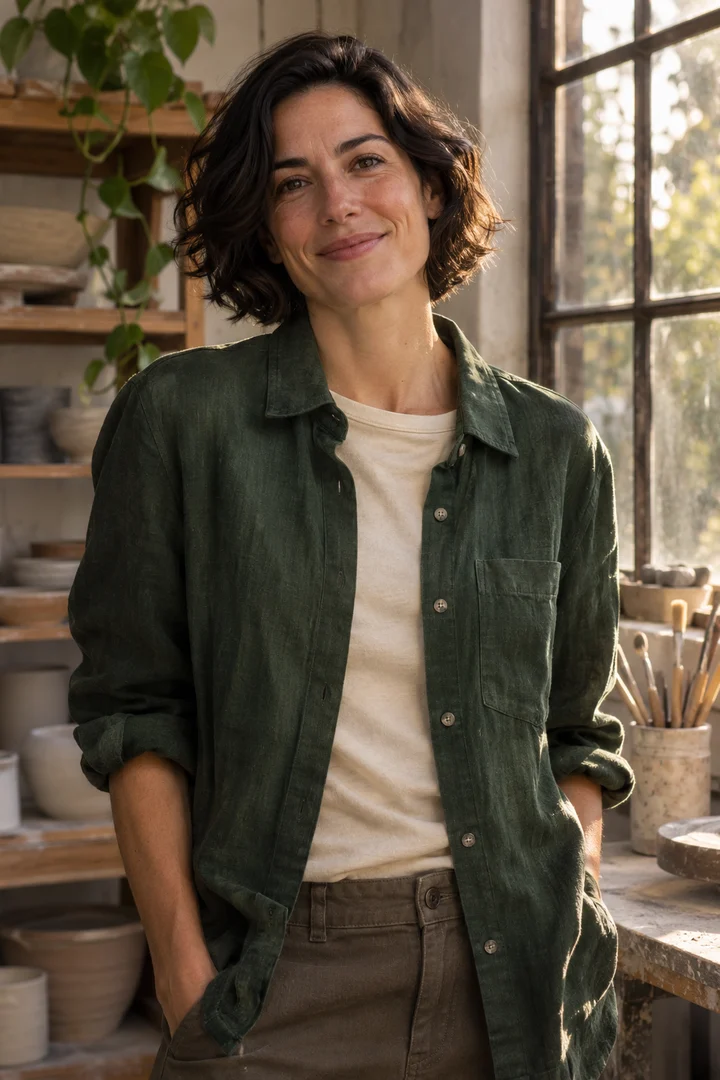
Avery I found a saffron linen shirt. For once it has no clay on it.
You Send me a photo wearing that shirt.
The photo request refers to the shirt Avery just described.
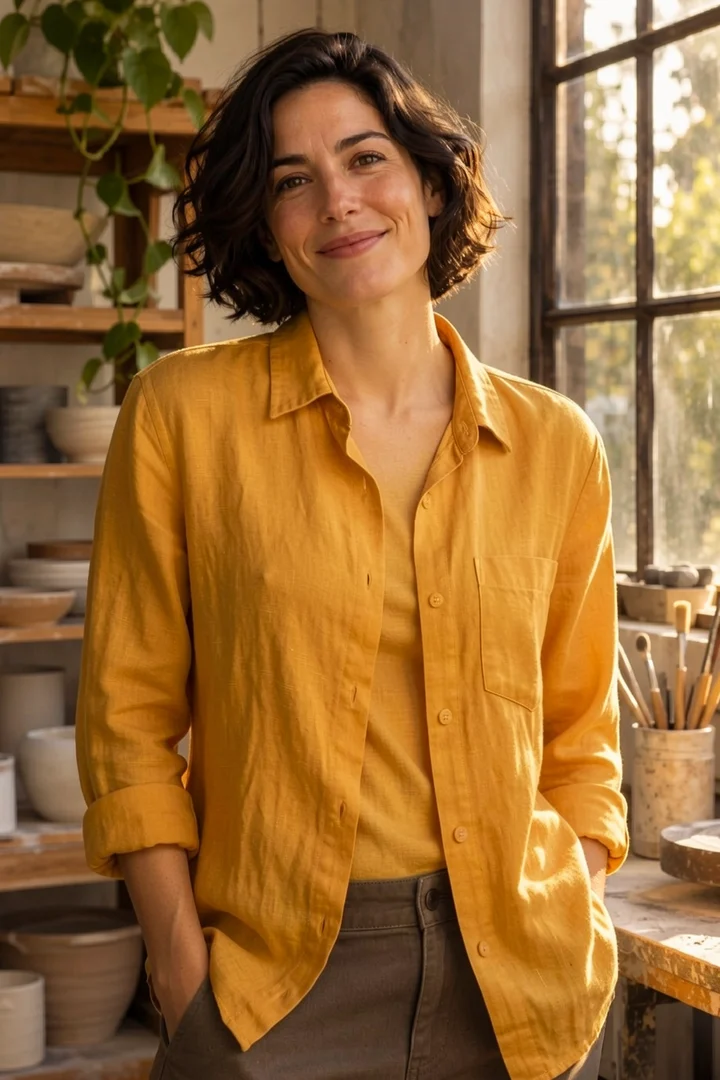
Read the exact photo edit prompt
Change the green overshirt and cream tee into a fully buttoned saffron yellow linen shirt with long sleeves. Keep Avery fully clothed. Keep the same face, hair, pose, studio background, light and framing.
Build your own chat character
- Open Character Studio, sign in, and choose Build character. Upload one clear portrait of an adult that you have permission to use.
- Add a name and personality. Give the character a relationship, a bit of backstory or a speaking style such as “five words or fewer.”
- Start chatting. To request a picture, describe what should change or refer to something you’ve discussed. If the scene is unclear, add a detail or choose a portrait.
One credit covers five chat replies across your characters. Auto-send photos is on by default. When you ask for a photo, Character Studio checks your balance against the price shown in the chat. If you need more credits, your request stays in the conversation to retry. Turn Auto-send off to confirm each photo yourself. Members can share a character profile anonymously. Each member starts their own conversation.
See more photo editing examples or learn how to write a photo edit prompt.